

I’d like to introduce tribeTools.pro — my new website offering tools, plugins and add-ons for WordPress, FluentCommunity and BuddyPress.

The first plugin I’ve created is SpaceEvents — an Event addon for FluentCommunity that lets you run Events inside community Spaces, or in the main public Portal.
FEATURES

Events Where You Need Them
Space Events
Enable events on any FC Space and give that community its own Events tab. Members can browse, RSVP, and keep up with what’s on — all within the Space they already use.
Public Community Events
SpaceEvents also supports community-wide public events, visible to all members (or everyone, if you choose). Perfect for webinars, open meetups, or organisation-wide announcements.
You choose how you use it — Space events, public events, or both running side by side.
Keep Your Community in the Loop
Post to Space Feeds
Optionally share new events directly to the relevant Space feed, so members are notified without having to check the Events tab separately.
Post to the Global Feed
For public events, you can push updates to the Global feed — giving your whole community visibility of what’s coming up.
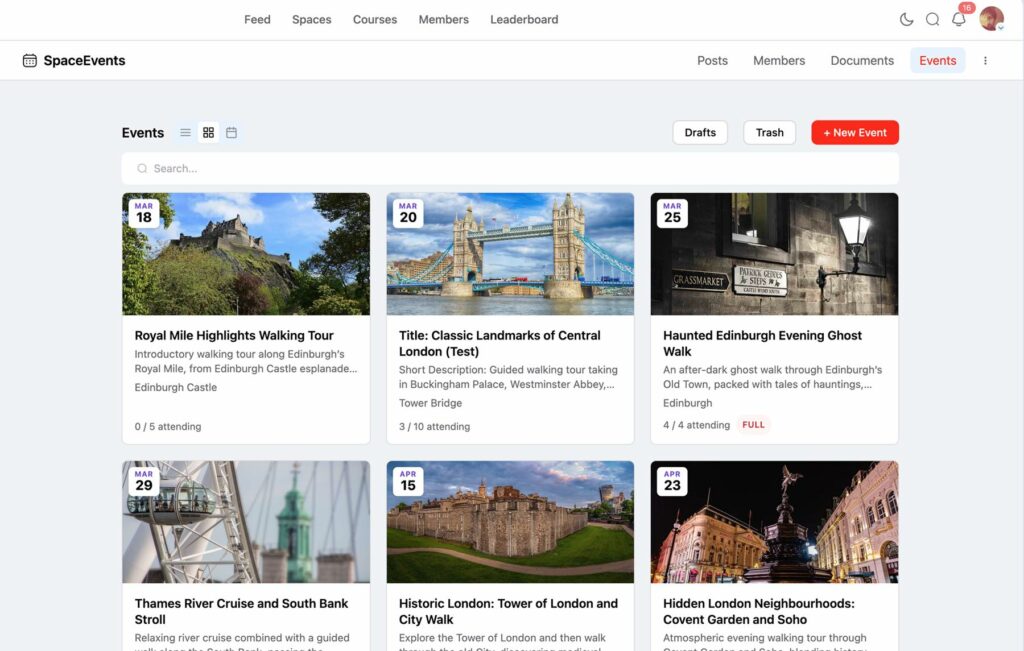
Attendee Management Made Easy
Simple RSVP
Members register for events with a single click. Organisers can see exactly who’s coming at a glance.
Capacity & Waitlists
Set a maximum attendee limit for any event. When it fills up, the waitlist kicks in automatically — no manual management needed.
Export Attendee Lists
Need a list of attendees for check-in, reporting, or records? Export as CSV or PDF with one click — right from the event management area.
My Events
Members and event Organisers get their own personalised My Events page, accessible from the user menu. In one place they can see:
- Events they’re attending — upcoming and past
- Events they’re organising — with quick access to manage them
No hunting around — everything relevant to them, in one spot.
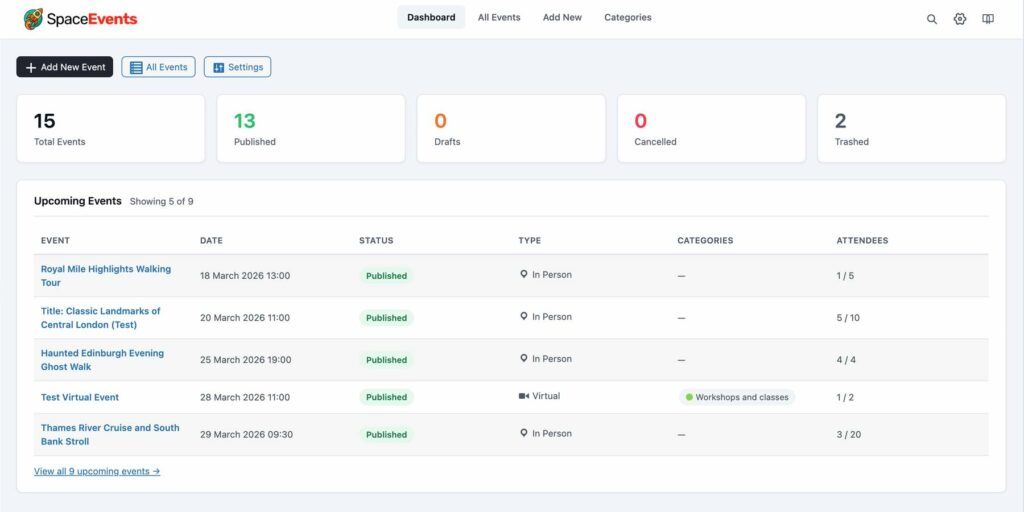
Admin Dashboard & Event Management
Site Admins get a dedicated SpaceEvents Dashboard in the WordPress admin area, with full control over the events system:
- Create, edit, and delete events — manage all events across Spaces and public listings from one place
- Manage categories — organise events with categories to make them easy to browse
- View and manage attendees — see who’s registered for any event, with export options
- Global settings — control defaults, permissions, feed posting behaviour, and more
Space-Level Controls
Space admins can enable or disable events per Space, directly from the Space Settings area. And when events are enabled, you control who can create them:
- Admins only
- Admins & Moderators
- Everyone
The right level of control for every community, without a one-size-fits-all approach.
WHO IS SPACEEVENTS FOR?
SpaceEvents works for any FluentCommunity site that wants to run events — big or small, public or private:
- Membership sites running webinars, workshops, or online meetups
- Local clubs & groups organising in-person events for their members
- Business communities hosting networking events or training sessions
- Learning communities scheduling classes, Q&As, or live sessions
- Non-profits & volunteer organisations coordinating their activities
- Any FluentCommunity site that wants a proper events system without a separate plugin
Full details and features can be found on the tribeTools website.